Published Oct 2, 2026 in Alternatives
How to Build an App With AI in 2026: 7 Steps From Prompt to Deployment
Author: Ideavo Team
Building an app with AI in 2026 is not limited by the first prompt — it is limited by what happens after it. The tools will generate a working screen in minutes. Whether that screen becomes software people can use depends on the parts AI cannot decide for you: what the app must do, who may see which data, what happens when something fails, and what it costs to keep running.
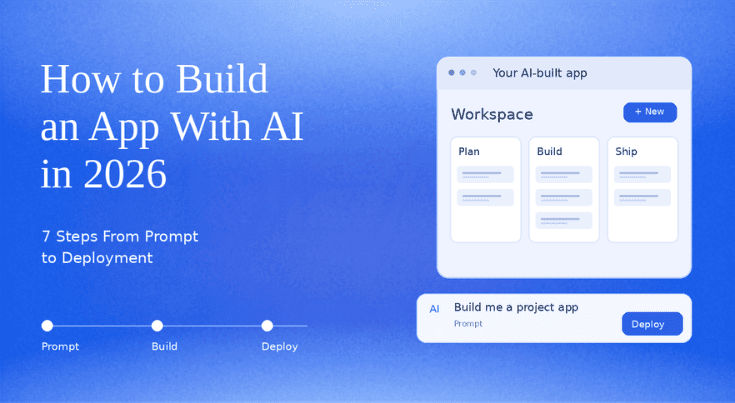
This walkthrough builds a small task tracker in seven steps: write the behavior, generate the first version, inspect data and access rules, test the dull actions, understand the bill, deploy a test version, then iterate one feature at a time. It is a build plan you can verify, not a claim that we ran your project for you. Use it in Ideavo or any other builder — every checkpoint works the same.
What you will build, and why it is small
A task tracker is the right first project because it contains every hard part of a real app in miniature: a screen, persistent data, sign-in, and a rule about who can see each task. Those four parts are exactly what separates an attractive preview from software.
Write the scope as three sentences before touching any tool: a user can sign in, add a task, and mark it complete; only that user can view or change their tasks; a page refresh must keep the changes. Leave team roles, notifications, calendars and integrations out of version one. Almost every failed AI-built app starts as a prompt that asked for all of them at once.
Choose a builder before you start
The steps in this guide are tool-agnostic, but the trade-offs between builders are not. A quick orientation, with the deeper comparisons linked:
| Builder | Best for | Free tier | Paid from |
|---|---|---|---|
| Ideavo | Code ownership + your own AI key | Free core builder | $20/month Pro (optional) |
| Bolt | Fastest browser prompt-to-app | 300K tokens/day, 1M/month | $25/month |
| Lovable | Polished, design-led web apps | 5 credits/day, 30/month | $25/month |
| v0 | Next.js and Vercel teams | $5 monthly credits | $30/user/month |
| Replit | All-in-one cloud workspace | Limited Starter plan | $20/month billed annually |
If you are comparing specific tools, the Bolt.new alternatives, Lovable alternatives, Replit alternatives and v0 alternatives guides cover each one in depth, and the best free AI app builders ranking compares the free tiers line by line. Prices were checked on October 1, 2026.
Step 1: Write the behavior before the design
Give the builder a prompt with acceptance checks, not a wish list:
Create a task app with sign-in, a task list, an add form, and a complete button. Store each task with an owner, title, created date, and completion state. Show only the signed-in user's tasks. After refreshing the page, changes must remain. Explain the files, the data model, and any services I must configure.
The last sentence matters more than it looks. You need to know which parts the builder generated and which services still need your account or credentials — the difference between an app that runs and an app that waits for a database key you never created.
Step 2: Generate the first version, then read what it tells you
The first generation should produce a file list, a data model and a list of external services. Read all three before admiring the interface. Ask the builder to explain its structure in plain terms: which file renders the task list, where tasks are stored, what happens on a fresh account.
If the answer is vague, that vagueness is a finding, not a formality. Apps whose owners cannot say where the data lives are the ones that fail the access test in the next step.
Step 3: Inspect the data and access rules
The minimum task record has an ID, owner ID, title, completion state, and created date. Check what happens when the title is empty or 5,000 characters long. More importantly, check authorization on the server or in the database — not just a hidden button in the interface. A user should not be able to request someone else's task by changing an ID in the URL.
Then run the two-account test. Create two accounts, add a task with the first, sign out, and confirm the second account cannot read or edit it — including through a direct request to the task's URL or API endpoint. If that fails, ask the builder to fix the access rule, and inspect the resulting change like a code review, because this rule is the one that protects your users.
Step 4: Test the dull actions
Add a task, edit it, complete it, reload, sign back in. Try the same actions on a slow connection and with an expired session. Check the empty state and the error message when a save fails. These tests catch the failures a generated screenshot can never show, and they take ten minutes.
Keep a short list of bugs rather than issuing a giant rewrite prompt. Ask the builder to fix one item at a time and to state which file changed, which rule changed, and what test demonstrates the fix. Small, explained changes keep the codebase reviewable; huge rewrites quietly undo the access rules you verified in step 3.
Step 5: Understand the bill
Separate four cost layers before you invite anyone:
| Layer | What it pays for | Typical shape |
|---|---|---|
| Builder plan | The building workflow | Free tiers to $20–30/month (see the table above) |
| AI model usage | The generation itself | Provider-billed, or bundled as tokens/credits |
| Hosting | Running the deployed app | Often included initially, metered as traffic grows |
| Data and services | Database, storage, email, auth | Frequently separate from both the builder and hosting |
A platform's headline price is one line of this bill. Bolt's tokens fund conversation history and retries, not just new features; Lovable and v0 meter credits by task size; Replit's Agent credits deplete with use. Ideavo's core builder is free with your own model key, which makes the AI-usage line explicit instead of bundled — your provider still bills it. Check all four layers against your real month of usage before calling any option cheap.
Step 6: Deploy a test version
Use a test environment before the real one. Add secrets through the deployment settings rather than pasting them into code or a prompt. Verify the production database connection and the sign-in callback URL — the two most common deployment failures in generated apps.
Then open the live app in a private browser window, create a task, refresh, and repeat the two-account access check from step 3 against the deployed version. Access rules that passed locally can fail in production when the auth callback or database rules were reconfigured during deploy. Before sharing the link with anyone, record how to roll back the last deployment and how to export or sync the code. A working version one has a repeatable way to become version two.
Step 7: Iterate one feature at a time
Add one feature only after the basic loop works. A due date is the ideal next test: it changes the form, the data model, the list, and the validation in one move, which reveals whether you can maintain this app or only re-generate it.
Resist the urge to redesign during iteration. Each new feature gets the same treatment as version one: a written acceptance check, a generated change, an inspection of what moved, and a deployment test. That rhythm — not the first prompt — is what "building an app with AI" actually means in practice.
Common mistakes when building an app with AI
- Prompting for the whole dream app. Version one with ten features verifies nothing; version one with one rule verifies everything.
- Trusting the screenshot. A beautiful preview with no data model behind it fails on the first refresh.
- Accepting client-side-only access rules. If the check lives in the interface, it is a suggestion, not a rule.
- Never testing export. Connect GitHub or download the code on day one; the exit is cheapest to test when you have nothing invested.
- Judging the tool on the first build. The first build is marketing. The fifth change is the test.
Frequently asked questions
Common questions about building an app with AI.
Can I build an app with AI without knowing how to code?
Yes, for small apps. Builders like Bolt, Lovable, v0, Replit and Ideavo generate working full-stack apps from plain-language prompts. You still need to verify data rules, access control and costs — this guide's steps 3 to 5 — but writing code is no longer the barrier it was.
How long does it take to build an app with AI?
A first working version of a small app typically arrives in under an hour. The realistic timeline is a day or two once you include verifying access rules, testing failure states, configuring deployment and fixing what the first prompt got wrong.
Do I own the code an AI app builder generates?
In most current builders, yes — Ideavo, Bolt, Lovable, v0 and Replit all provide code export or GitHub workflows. The practical test is running the exported project outside the platform, changing one thing, and deploying it independently.
How much does it cost to build an app with AI in 2026?
Small apps can be built on free tiers. Serious iteration usually costs $20–30/month for a builder plan or model usage, plus separate hosting and database costs as usage grows. Ideavo keeps the core builder free while your own AI provider bills usage directly.
What should my first AI-built app be?
A task tracker: it needs sign-in, persistent data, a list, and an ownership rule — every hard part of a real app at a size you can inspect. Dashboards over real data are another good first project; see the dashboard guide for that path.
Is AI-generated code production-ready?
It can be, for small and mid-sized apps. Production readiness comes from the checks in this guide — verified access rules, handled failure states, a rollback path and a reviewed data model — not from the generator. Treat generated code like any junior developer's first draft: useful, but reviewed before it ships.
Start the task app in Ideavo, and run every checkpoint above before sending the link to anyone else.